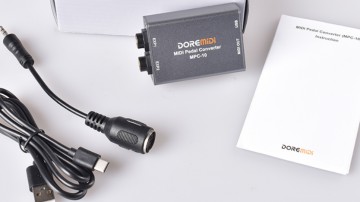
MPC-10 blinks, not detected on M4 Max / macOS 26.6.2; works on Windows
Hello DOREMiDi support,
My MPC-10 works on Windows, but my Mac does not recognize it as a USB device. Could you help identify the cause and the recommended fix?
Environment
- Device: DOREMiDi MPC-10
- Mac: MacBook Pro with Apple M4 Max (Mac16,5)
- macOS: 26.6.2, build 25G83
- The installed version was checked and appeared to be up to date, but the exact firmware version number has not yet been recorded.
Symptoms and confirmed tests
- On the Mac, the MPC-10 indicator keeps blinking and the device is absent from System Information > USB and the IOUSB device tree.
- The MPC-10 works normally on Windows using the SAME USB cable.
- A USB-C-to-USB-A adapter was tried on the Mac, with the same result.
- Another USB device works on the Mac through that SAME adapter.
- USB-C ports on both sides of the Mac were tested; the MPC-10 still blinks and is not recognized.
- The adapter and device were disconnected and reconnected while the Mac was unlocked. No accessory approval prompt appeared. The Mac setting is "Ask for New Accessories."
- The problem remains unresolved after this troubleshooting.
Relevant macOS log messages during connection attempts:
AppleUSBHostPort::createDevice: failed to create device (0xe00002bc)
AppleUSBHostPort::disconnect: persistent enumeration failures
The failure appears to happen during USB enumeration, before MIDI applications can see the device. I have not established whether the cause is hardware, firmware, or host compatibility.
Questions
1. Is this a known MPC-10 issue with Apple Silicon/M4 Macs or macOS 26.6.2?
2. Is there a recommended firmware version or recovery procedure for this specific symptom? Please let me know how to confirm the correct hardware/firmware revision before updating.
3. Is a particular USB hub or other connection method a supported workaround?
4. If there is no software fix, could this indicate a hardware issue requiring repair or replacement, even though Windows works?
Thank you.